
Tool dossier

SwitchOSS editorial

/Dev/Push

Self-hosted deployment platform that turns GitHub pushes into zero-downtime releases for Docker-runnable apps.

1 sources 4,608 stars MIT platform layer

Product snapshot

How the interface presents itself

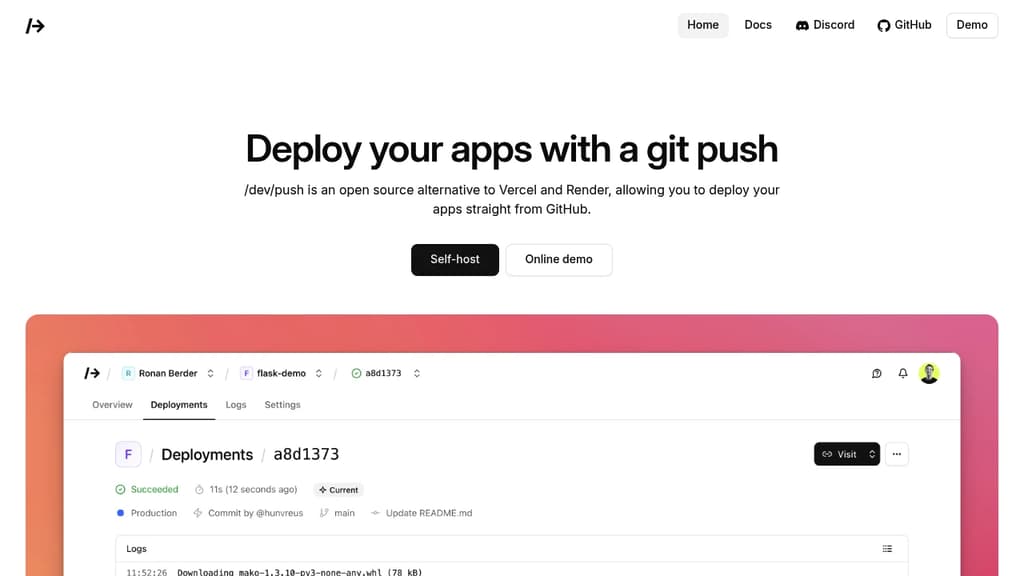
/Dev/Push interface screenshot

Positioning

What this project is really offering

The goal here is to separate raw catalog facts from the sharper product shape users care about before they commit time.

About

Deploy applications effortlessly with automatic deployments triggered by every GitHub push. This open source alternative to Vercel and Render offers enterprise-grade features without vendor lock-in. Key deployment features include: Developer-friendly workflow: Team collaboration tools: Upcoming features include SQLite database management, persistent storage, custom Docker containers, remote node management, observability monitoring, resource scaling, and cron job scheduling. 100% free and open source under MIT license - host on your own infrastructure or use the hosted version for testing. Perfect for developers seeking Vercel-like experience with full control over their deployment pipeline.

Why it stands out

It tries to package a Vercel or Render style deployment experience into a self-hosted product, combining GitHub-triggered deploys, environments, logs, rollback, domains, and team access in one system rather than leaving those pieces to separate scripts and services.

Editorial readout

Judge the first-fit, ceiling, and operational burden

This layer is meant to help someone decide whether a trial is worth it, not just confirm that the project exists.

What you can do first

Install it on a supported Ubuntu or Debian server, set DNS, create a GitHub App, configure email credentials, and connect a repository so pushes automatically build and deploy with logs and a URL.

How far it can go

Run a self-hosted multi-project deployment workflow with branch-mapped environments, encrypted environment variables, live searchable logs, instant rollback, preview and environment URLs, team permissions, and custom domains with automatic SSL.

Best for

  • Developers who want push-to-deploy from GitHub on their own infrastructure
  • Python or Node.js apps, plus other workloads that can run in Docker
  • Small teams that need shared project access, environments, and rollback
  • Users replacing a hosted PaaS with a self-hosted alternative

Not for

  • Teams that want a fully managed production hosting service
  • Organizations that need GitLab or Bitbucket integration today
  • Users unwilling to manage server setup, DNS, GitHub App credentials, and email delivery
  • Projects that need built-in persistent storage, cron, or resource scaling right now

Highlights

The capabilities most worth remembering

01

Push-to-deploy from GitHub, with support for deploying any commit

02

Multiple environments with branch mapping and encrypted environment variables

03

Zero-downtime rollouts and instant rollback

04

Live, searchable build and runtime logs

05

Preview, branch, and environment URLs

06

Custom domains with automatic SSL, plus team roles and invitations

07

Zero-downtime deployments

08

Multiple environments

09

Real-time build and runtime logs

10

Instant rollback

11

Preview URLs

Evidence

What backs up the editorial summary

The homepage describes /dev/push as an open source alternative to Vercel and Render that deploys apps straight from GitHub.

devpu.sh

The homepage says apps are deployed on every GitHub push and that any commit can also be deployed.

devpu.sh

The README lists multiple environments, branch mapping, encrypted environment variables, team invitations and permissions, and custom domains with automatic Let's Encrypt SSL.

github.com/hunvreus/devpush

The README lists live searchable build and runtime logs, zero-downtime rollouts, and instant rollback as key features.

github.com/hunvreus/devpush