
Tool dossier

SwitchOSS editorial

Immich

Self-hosted photo and video management app that backs up phones, serves a web and mobile library, and adds search and sharing on top of your own storage.

4 sources 96,184 stars Self-hosted AGPL-3.0 heavy system

Product snapshot

How the interface presents itself

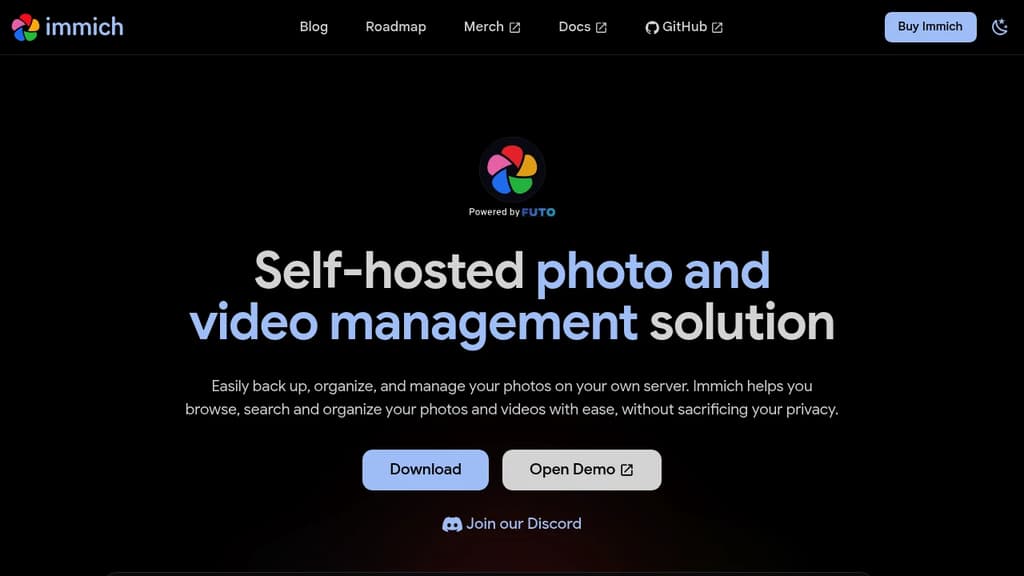
Immich interface screenshot

Positioning

What this project is really offering

The goal here is to separate raw catalog facts from the sharper product shape users care about before they commit time.

About

Immich is a self-hosted photo and video management solution designed for those who value privacy and control over their media. This open-source project offers a robust platform for storing, organizing, and accessing your personal photos and videos. Key features of Immich include: While Immich is a promising solution for personal media management, it's important to note that the project is still in active development. Users should exercise caution and not rely on Immich as the sole storage method for their photos and videos at this stage. Immich is released under the GNU AGPL v3 license, emphasizing the project's commitment to open-source principles and user freedom. By choosing Immich, you're embracing the idea that privacy should not be a luxury but a fundamental right in the digital age.

Why it stands out

It combines a consumer-style photo app shape with self-hosting: mobile auto-backup, timeline browsing, search and sharing, and the option to pull existing filesystem archives into the same library.

Editorial readout

Judge the first-fit, ceiling, and operational burden

This layer is meant to help someone decide whether a trial is worth it, not just confirm that the project exists.

What you can do first

Install the recommended Docker Compose stack, create the first admin account, upload a few photos in the web UI, then point the mobile app at your server and enable backup for selected albums.

How far it can go

A self-hosted household media system that combines phone backup and existing archive import with face, OCR, location, metadata, tag, and CLIP-based content search, plus multi-user sharing and public links.

Best for

  • Individuals or households replacing a cloud photo backup service with self-hosted storage
  • People who want phone auto-backup plus web and mobile browsing on one server
  • Users with existing filesystem photo archives or NAS folders they want indexed as external libraries
  • Homes that need multiple users, shared albums, or partner sharing

Not for

  • People who do not want to run Docker, storage, and backups themselves
  • Small machines where 4 GB RAM is the practical ceiling and ML features still matter
  • Deployments that need the Postgres data directory on NTFS, exFAT, or network shares
  • External-library workflows that require metadata edits to be written back to original files automatically

Research packet

The operating reality behind the headline summary

This layer keeps the structured reasoning reusable for later templates, search, and AI-assisted updates.

Core use case

Run your own private photo and video library with phone backup, browser access, and search instead of relying on a cloud photo service.

Setup path

Provision a Docker-capable machine, download docker-compose.yml and .env, set storage and password values, run docker compose up -d, register the first admin in the web app, then connect the mobile app to http://<machine-ip-address>:2283 and enable backup.

Deployment model

self-hosted

Operational burden

Own the Docker host, storage layout, Postgres placement, upgrades, and media backups; larger libraries may also require ML model tradeoff decisions and periodic external-library rescans.

Key limitations

  • Needs Docker plus a modest but real server footprint; Linux is the recommended host environment.
  • You still need separate backups for original media files; the built-in backup does not protect uploaded photos and videos.
  • Postgres storage should be local and on a Unix-compatible filesystem; network shares are not supported for the database.
  • External libraries are single-user, some metadata changes are not written back to source files, and automatic watching is marked experimental.

Editorial guide

A richer readout of fit, rollout shape, and practical edges

These blocks are intentionally variable so the page can adapt to the project instead of forcing every tool into the same template.

01

Paragraph

First Useful Setup

Immich gets to first value quickly if you already have a machine for Docker: bring up the compose stack, register the first admin, test a browser upload, then connect a phone and enable backup for a few albums. That gives you working backup and browsing before you tackle archive import or search tuning.

02

List

How Far It Can Go

The ceiling is broader than simple phone backup once the server is stable.

  • Run one instance for a household with multiple users, shared albums, and partner sharing.
  • Expose public links for outside recipients, with expiration and password options.
  • Mix fresh mobile uploads with existing folders or NAS archives through external libraries.
  • Layer face, OCR, location, metadata, and visual-content search over the same library.
03

Checklist

Operating Reality

The main adoption cost is running the system reliably, not learning the UI.

  • Budget for a real Docker host and local database storage, not just spare disk space.
  • Keep separate backups of original media; database backup alone is not enough.
  • Prefer Linux or another Unix-like host if you want the smoothest supported path.
  • Treat external libraries as powerful but imperfect imports, especially if you expect metadata write-back.

Highlights

The capabilities most worth remembering

01

Automatic mobile backup from selected albums, with background upload and checksum-based deduplication

02

Web and mobile browsing with timeline, map view, folder view, archive and favorites, and LivePhoto or MotionPhoto support

03

Search across faces, OCR text, location, tags, camera metadata, date ranges, and freeform visual content via CLIP

04

Shared albums, whole-library partner sharing, and public links with expiration and password controls

05

External libraries that scan existing filesystem folders into the main timeline

06

Multi-user administration, OAuth support, API keys, and hardware transcoding

07

Self-hosted

08

Privacy-focused

09

Open-source

10

Active development

11

Automatic mobile backup

12

Face recognition & clustering

13

Smart search with CLIP

14

Shared albums & libraries

15

Timeline & map view

16

Hardware-accelerated transcoding

Evidence

What backs up the editorial summary

Search uses Postgres for metadata and contextual CLIP search, with filters including faces, OCR text, location, tags, camera data, and time frames.

docs.immich.app/features/searching