
Tool dossier

SwitchOSS editorial

Rustdesk

RustDesk is a remote desktop app that can be used immediately through the project's hosted rendezvous/relay service and later moved onto infrastructure you run yourself.

3 sources 111,216 stars Self-hosted AGPL-3.0 desktop app with optional self-hosted backend

Product snapshot

How the interface presents itself

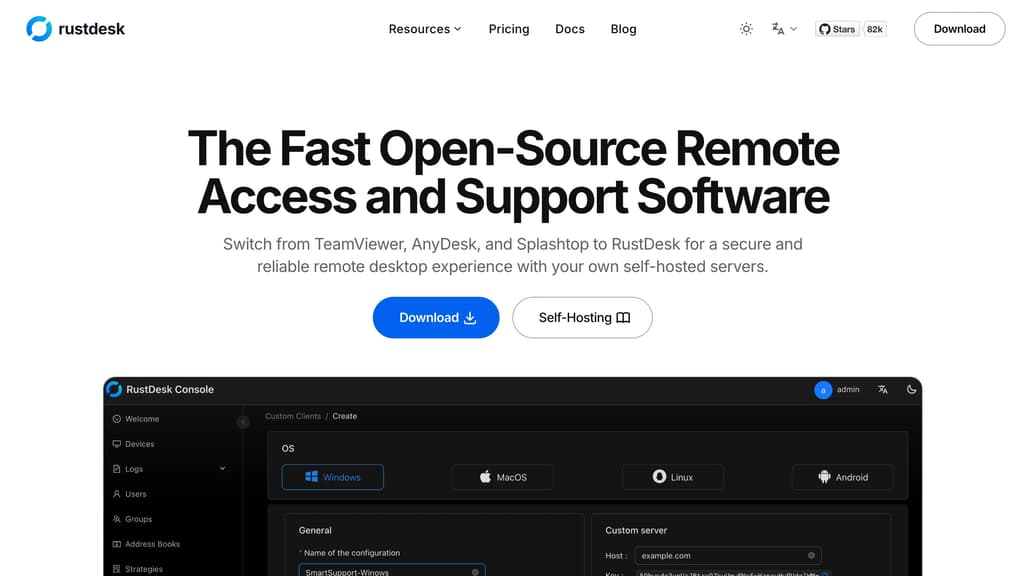
Rustdesk interface screenshot

Positioning

What this project is really offering

The goal here is to separate raw catalog facts from the sharper product shape users care about before they commit time.

About

RustDesk is an open-source remote desktop software‚ offering a secure and reliable alternative to TeamViewer. It allows users to remotely access and control their computers from anywhere‚ facilitating collaboration‚ technical support‚ and remote work. With RustDesk‚ users can share screens‚ transfer files‚ and communicate with ease‚ enhancing productivity and efficiency. Its robust security features ensure encrypted connections‚ protecting sensitive data during remote sessions. RustDesk's intuitive interface and lightweight design make it suitable for personal and professional use‚ providing a seamless remote desktop experience for users of all levels.

Why it stands out

It bridges two normally separate decisions: quick no-backend remote access for first use, and a later path to self-hosted ID and relay control without replacing the client.

Editorial readout

Judge the first-fit, ceiling, and operational burden

This layer is meant to help someone decide whether a trial is worth it, not just confirm that the project exists.

What you can do first

Install the client on the machines you care about and start a remote session through RustDesk's hosted rendezvous/relay service; no private server is required for first use.

How far it can go

At full adoption, RustDesk can run on your own ID and relay infrastructure with clients pointed at that backend, direct peer connection when possible, relay fallback when needed, and an optional Pro server tier for centralized administration and identity features.

Best for

  • Individuals replacing TeamViewer or AnyDesk for occasional remote help
  • Small IT or support teams that may want self-hosted control over time
  • Mixed Windows, macOS, Linux, and Android environments
  • Users who need remote control plus file transfer without adopting a full RMM stack

Not for

  • Teams expecting centralized admin, SSO, or device management from OSS alone
  • Users unwilling to manage Docker, firewall ports, and client settings when self-hosting
  • Browser-only rollouts unless you are ready to proxy the web client
  • Organizations that require vendor-backed support on the open-source tier

Research packet

The operating reality behind the headline summary

This layer keeps the structured reasoning reusable for later templates, search, and AI-assisted updates.

Core use case

Remote control of another machine for support or remote work, with optional ownership of the connection backend.

Setup path

Quick start: install the client and use RustDesk's hosted service. Self-host path: deploy `hbbs` and `hbbr` with Docker, script, or Debian package, then enter the server ID address and public key in client network settings.

Deployment model

hybrid

Operational burden

Low on the hosted client path; moderate when self-hosting because you own server deployment, keys, firewall rules, upgrades, and client configuration.

Key limitations

  • OSS self-hosting is manual deployment and configuration with community support.
  • Self-hosting needs firewall changes for RustDesk ports and client-side server configuration.
  • Web client setup needs WebSocket ports and reverse-proxy HTTPS work.
  • Relay traffic becomes relevant when direct hole punching does not succeed.

Editorial guide

A richer readout of fit, rollout shape, and practical edges

These blocks are intentionally variable so the page can adapt to the project instead of forcing every tool into the same template.

01

Paragraph

First Useful Setup

The shortest path is just the client: the README says RustDesk works out of the box and can use the project's rendezvous and relay service, so you can start remote access before you think about backend ownership. Self-hosting only becomes relevant once you care where the ID and relay path live.

02

List

Who It Fits Best

RustDesk makes the most sense when you want remote access first and backend control second.

  • Small IT or support groups replacing TeamViewer or AnyDesk without adopting a heavier management platform
  • Admins who want a public-service starting point and a self-hosted migration path later
  • Remote workers and mixed-OS environments where file transfer matters alongside screen control
03

Paragraph

Operating Reality

The OSS server is not a single toggle. RustDesk documents two services, `hbbs` and `hbbr`, recommends Docker for most installations, and expects you to open the right ports and then distribute the server address and public key to clients. Direct connections are common, but relay traffic becomes your responsibility when hole punching fails.

04

List

Where It Breaks Down

The main friction points are operational and administrative rather than UI-related.

  • If you want centralized identity, device inventory, or access control from the open-source server itself
  • If your team cannot own firewall changes, Docker or systemd maintenance, and client reconfiguration
  • If you want browser access without doing the reverse-proxy work that the web client setup implies

Highlights

The capabilities most worth remembering

01

Works out of the box against RustDesk's hosted rendezvous/relay service

02

Windows, macOS, Linux, and Android client support

03

Self-hosted OSS backend built from `hbbs` ID/signaling and `hbbr` relay services

04

File transfer support

05

Direct hole punching first, with relay fallback when direct connection fails

06

Optional web client support through WebSocket ports when self-hosting

07

Cross-platform compatibility

08

Zero configuration

09

Unattended access

10

File transfer

11

Multi-monitor support

12

Custom server deployment

13

End-to-end encryption

14

Low latency

15

Free and open-source

16

Self-Hosting

17

Cross-Platform

18

High Performance

19

Security

20

Community Driven

21

Easy to Use

22

Customizable

Evidence

What backs up the editorial summary

RustDesk's homepage describes it as open-source remote access and support software and positions it as an alternative to TeamViewer, AnyDesk, and Splashtop.

rustdesk.com

RustDesk Server OSS is documented as manual deployment/configuration with community support, while Pro adds web console, API, OIDC, LDAP, 2FA, device management, access control, and multi-relay management.

rustdesk.com/docs/en/self-host/index.html